
Online Pre-registration
The application begins on the applicant’s own phone, so the counter is left with what only the counter can do.
Registration does not have to start at a desk. With online pre-registration the applicant fills in their details and captures a compliant portrait themselves, from anywhere, and arrives with a pre-registration code. On site the officer verifies who they are, reads the code, captures the fingerprints and the signature, and completes the registration — a hybrid of online application and on-site eServices that takes most of the queue out of the hall.
One account
Passport, national ID, voter ID
200+
Photo quality inspection standards
ICAO 9303
Portrait compliance
No studio
Portrait taken on a phone
What the applicant does before arriving
One application, many credentials
Passport, national ID and voter ID are applied for through one platform, with one account, instead of a separate procedure and a separate queue for each.
Details filled in once
Personal data is either typed in or extracted automatically from an existing physical document, so the same fields are not written out again at the counter.
A portrait taken anywhere
The applicant captures their own photo on their own device. Compliance is decided by software rather than by a studio, so a professional camera and a photographer are no longer part of the application.
Recognition that checks the submission
Clustering analysis and machine learning validate what has been submitted and recognise the data read from the document, so errors are caught while the applicant can still correct them.
Quality repaired, not just rejected
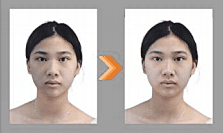
Blur and poor lighting are detected and corrected rather than sent back, which is what makes a phone portrait usable for a travel document.
AI-powered Photo QMSCropped to the document
The background is replaced and the portrait cropped automatically to the specification of the country and the document being applied for — each one has its own geometry.
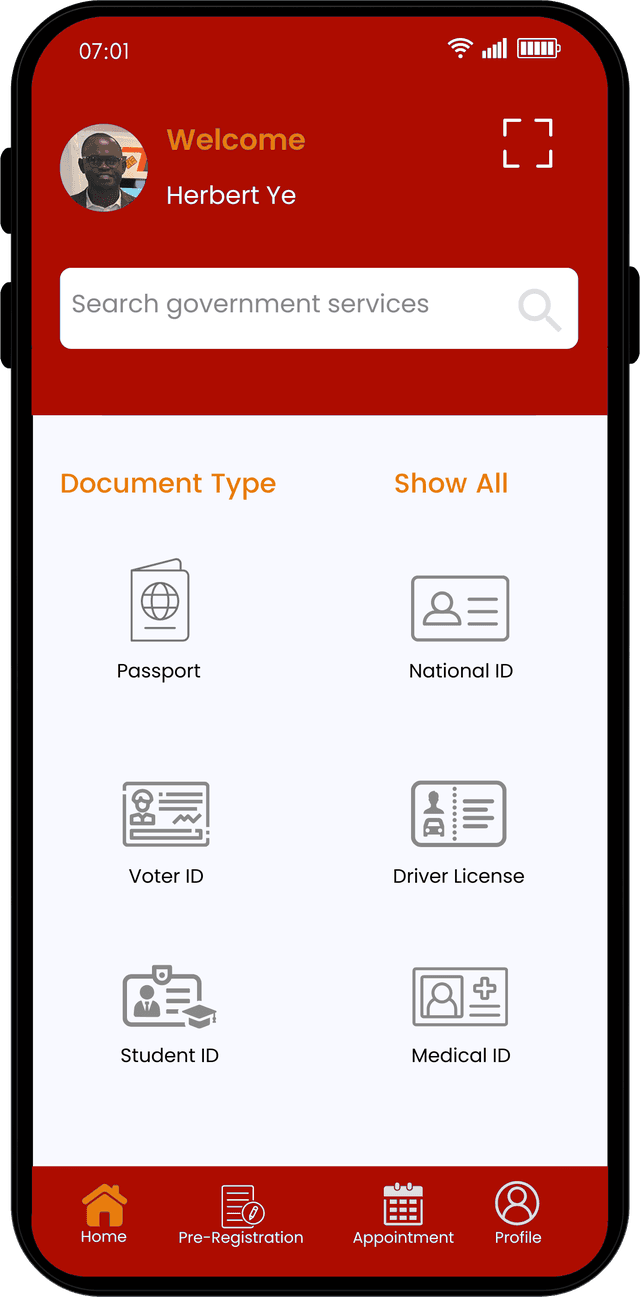
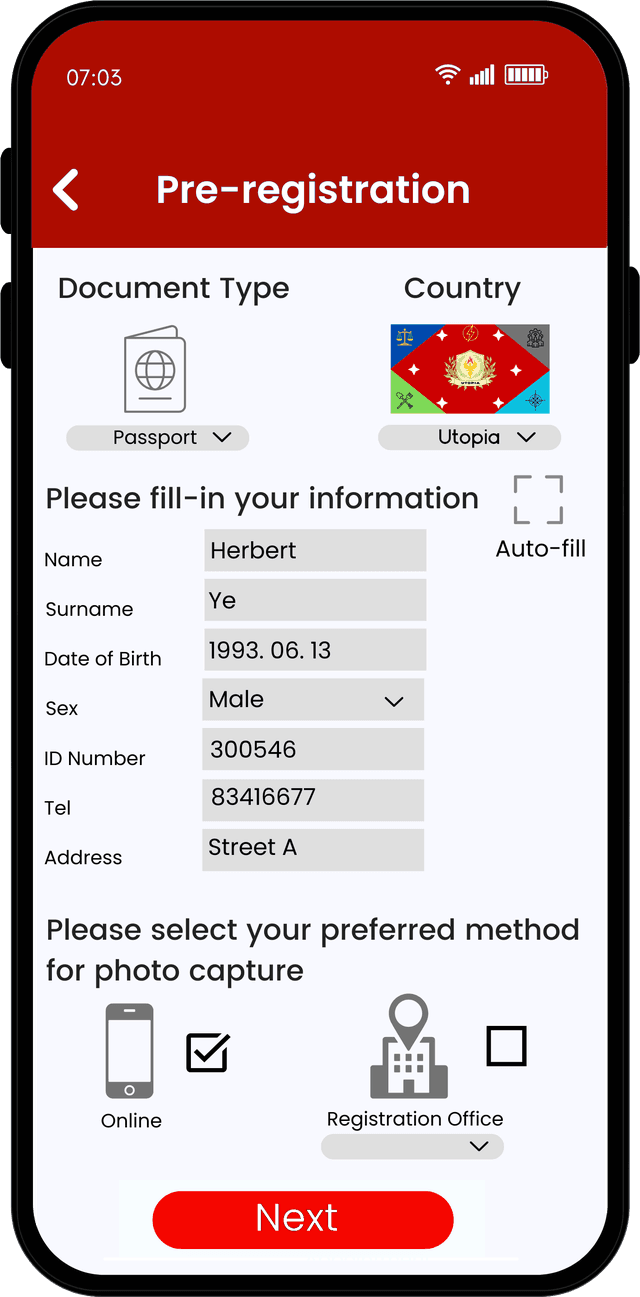
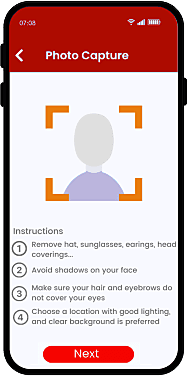
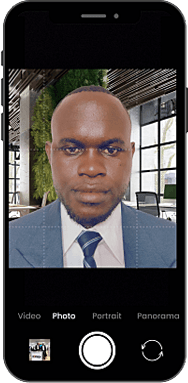
Six screens from opening the app to the pre-registration code
The applicant chooses the document, fills in or auto-fills their details, decides where the portrait will be taken, captures it under guidance, confirms everything and receives the code they bring to the counter.
 1
1Document type — passport, national ID, voter ID, driving licence and more
 2
2Details typed in or auto-filled from a document, and where the photo will be taken
 3
3What to remove and what to avoid before the portrait is captured
 4
4Capture guided by the frame, on the applicant’s own camera
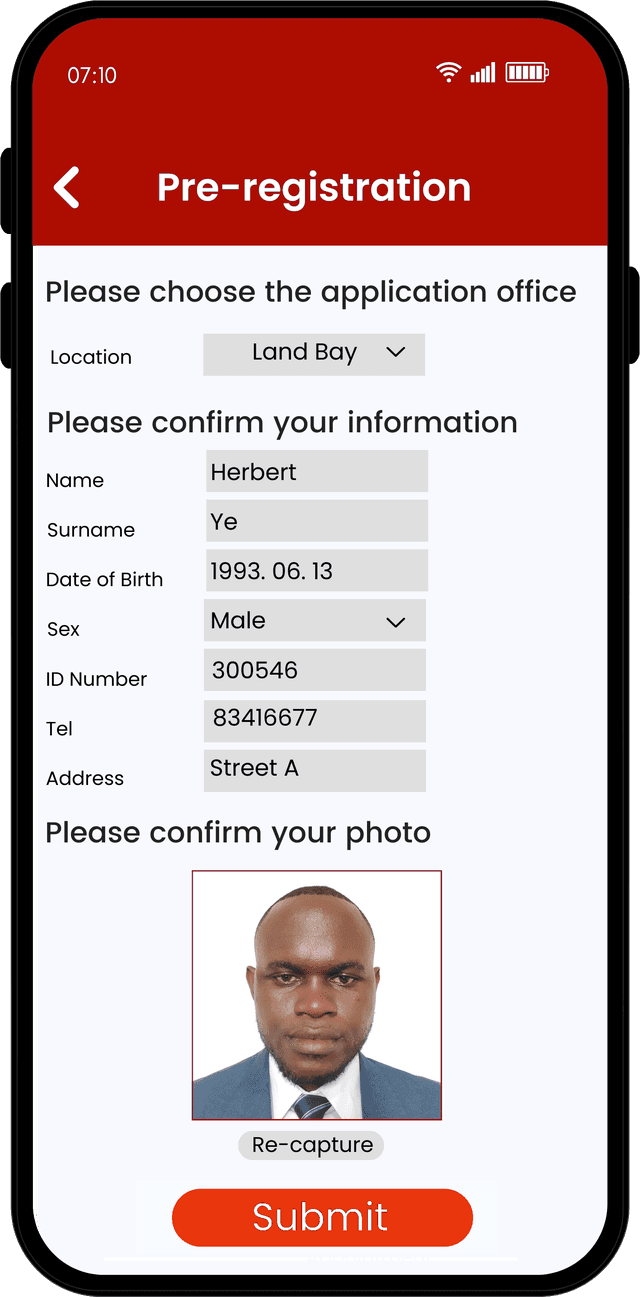 5
5Application office chosen, details and the processed portrait confirmed
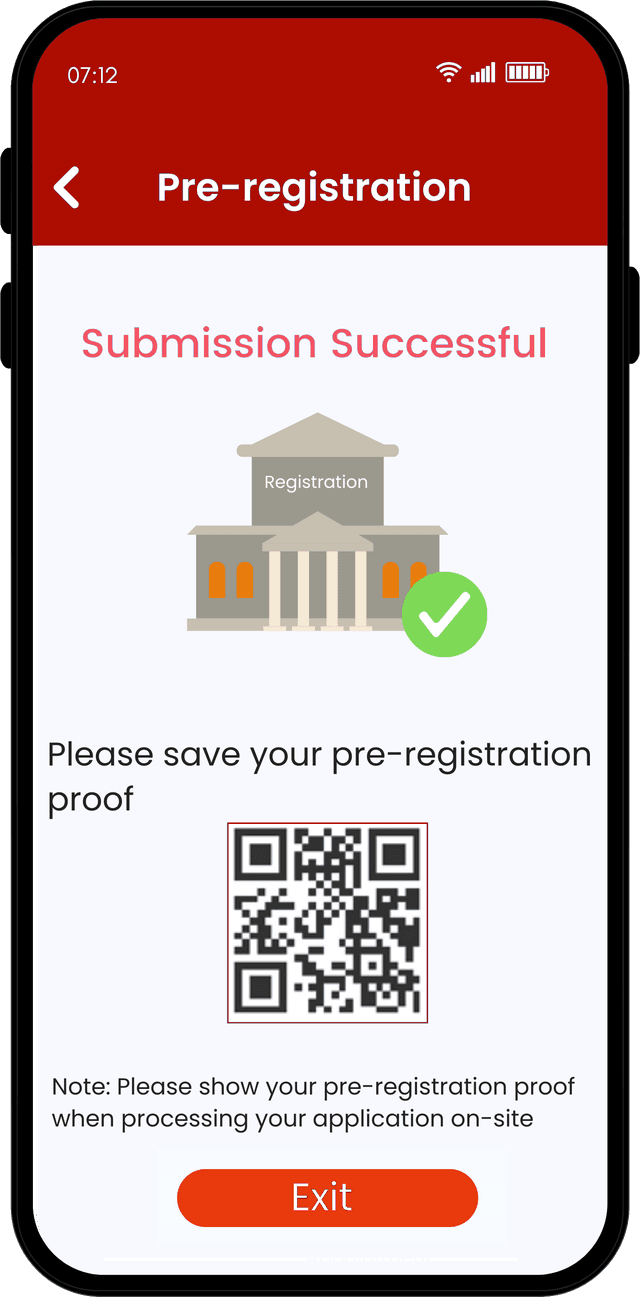 6
6The pre-registration code to present on site
Rejected on the spot, or repaired before it is submitted
A portrait taken outside a studio fails for predictable reasons — a covering, a turned head, a shadow, a busy background. Each is either sent back for a re-take or corrected automatically.
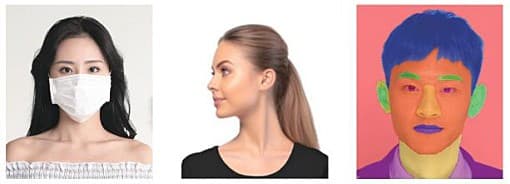

An ICAO-compliant portrait from outside the studio
The applicant photographs themselves on a phone and the quality check runs immediately, offering a re-take while it still costs nothing. Only a compliant portrait is accepted, so the photo can no longer be the reason an application is sent back.
- 1
Take the photo
Pose, expression, eye visibility, accessories and illumination are assessed on the spot, and the portrait is corrected and cropped to the document specification.
- 2
Fill in the details
Personal data is submitted with the approved portrait and comes back as a pre-registration code to bring to the counter.
 ICAO check passed
On-site eServices: four steps at the counter
What is left on site is the part that cannot be done remotely — proving the person is who the application says, and taking the biometrics that must be captured under supervision.
- 1Verify identityApplicant matched to the application
- 2Read the codePre-registration data extracted
- 3Capture biometricsFingerprints and signature
- 4Complete registrationRecord submitted for issuance
Two capture paths, one compliant photo
Portraits reach the programme from two sides. Inside the e-Public services network, kiosks, counters and the online user application are checked by the photo detection platform and written straight into the central systems. From the public internet, a web upload or a phone capture is checked by a separate inspection platform, and only a compliant photo crosses the unidirectional security gateway into the network.
Internet
Outside the perimeter- Photo upload, web version
- Photo taken on a mobile device
e-Public services network
Inside the perimeter- Self-service kiosk
- Counter
- Online user application
- National centralized system
- Real population system
- Traffic management platform
- and other registries
Interested in this system?
Tell us about your issuance program and we will advise on the right configuration.
Get in Touch